How PHP Communicates with MySQL Databases: A Complete Beginner's Guide (2026)
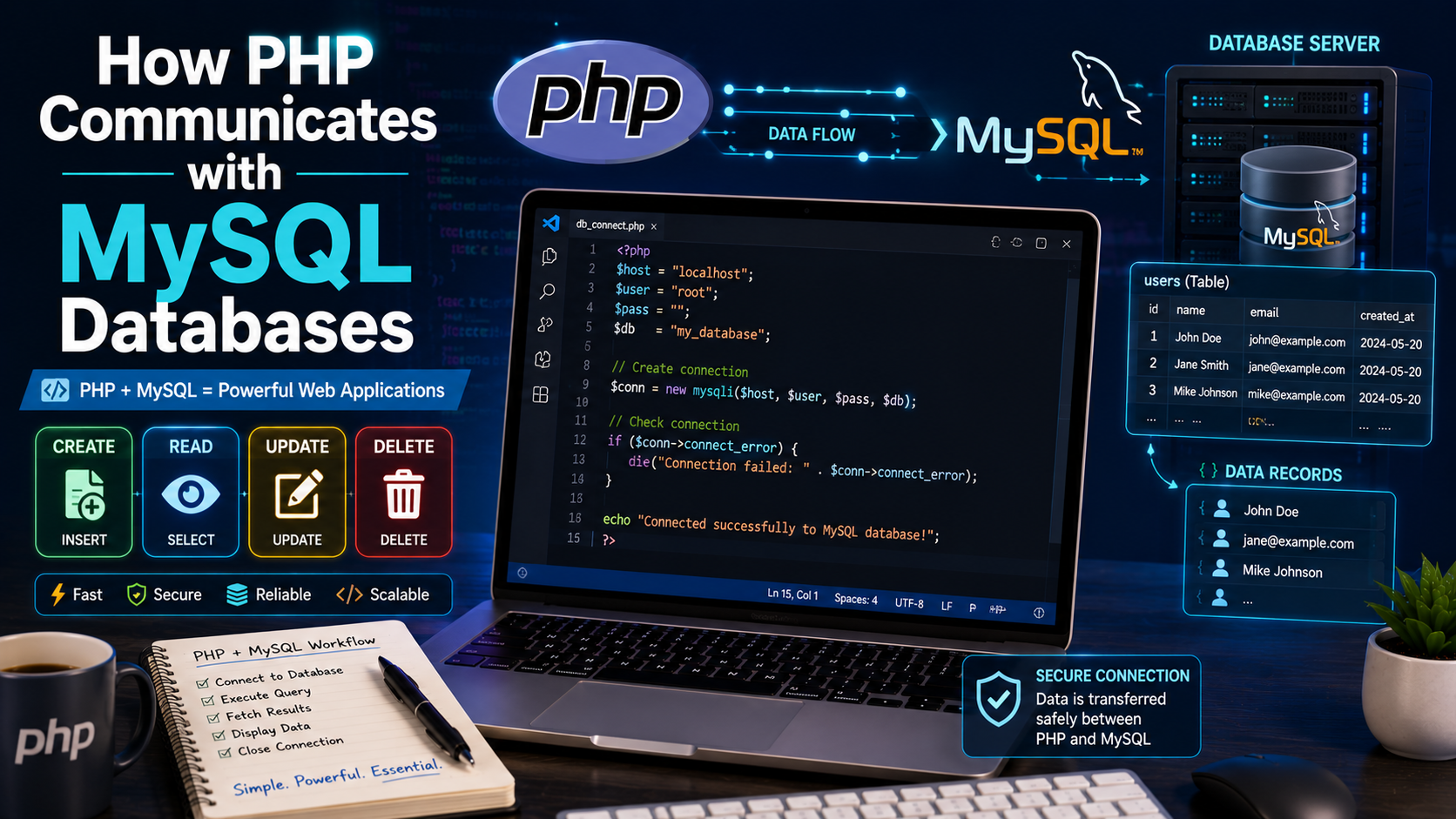
How PHP Communicates with MySQL Databases: A Complete Beginner's Guide (2026)
Modern websites rarely consist of static pages alone. Most websites store and retrieve information such as user accounts, blog posts, products, customer orders, and comments from a database.
PHP and MySQL are one of the most popular combinations for building dynamic web applications. PHP acts as the server-side programming language, while MySQL stores and manages the application's data.
In this guide, you'll learn how PHP communicates with MySQL databases and how to perform common database operations securely.
What Is MySQL?
MySQL is an open-source Relational Database Management System (RDBMS) used to store structured data in tables.
Examples of information stored in MySQL include:
User accounts
Blog articles
Products
Customer orders
Student records
Employee information
Website settings
A database keeps information organized so it can be retrieved quickly when needed.
Why Use PHP with MySQL?
PHP and MySQL work well together because:
Both are open source.
They are widely supported by web hosting providers.
They are easy to learn.
They are fast and reliable.
They power millions of websites.
Popular applications built with PHP often use MySQL as their database.
How PHP Communicates with MySQL
The communication process is straightforward:
A visitor submits a request (such as logging in or viewing a page).
PHP receives the request.
PHP sends an SQL query to the MySQL database.
MySQL processes the query.
MySQL returns the requested data.
PHP formats the results into HTML.
The browser displays the webpage.
This process usually happens within a fraction of a second.
Setting Up Your Environment
Install one of these local development environments:
XAMPP
Laragon
WAMP
MAMP
These packages include:
Apache Web Server
PHP
MySQL (or MariaDB)
phpMyAdmin
Creating a Database
Open phpMyAdmin and create a database named:
school_db
Create a table called students.
Example SQL:
CREATE TABLE students (
id INT AUTO_INCREMENT PRIMARY KEY,
fullname VARCHAR(100),
email VARCHAR(100),
course VARCHAR(100)
);
Connecting PHP to MySQL
PHP provides several ways to connect to MySQL. One of the most common is MySQLi.
Example:
<?php
$host = "localhost";
$username = "root";
$password = "";
$database = "school_db";
$conn = new mysqli( $host, $username, $password, $database);
if ($conn->connect_error) {
die("Connection failed: " . $conn->connect_error);
}
echo "Database Connected Successfully";
?>
If the connection succeeds, PHP can now communicate with the database.
Understanding the Connection Code
Let's break it down:
$host = "localhost";
Specifies the database server.
$username = "root";
The MySQL username.
$password = "";
The MySQL password.
$database = "school_db";
The database you want to access.
Inserting Data
Suppose you have a registration form.
PHP:
<?php
$sql = "INSERT INTO students(fullname,email,course)
VALUES('John Doe','john@gmail.com','Computer Science')";
$conn->query($sql);
?>
The record is stored inside the database.
Retrieving Data
To display records:
<?php
$result = $conn->query("SELECT * FROM students");
while($row = $result->fetch_assoc()){
echo $row["fullname"]."<br>";
}
?>
Output:
John Doe
Mary Johnson
David Peter
This loop displays every student's name.
Updating Data
Suppose a student changes courses.
<?php
$sql = "UPDATE students
SET course='Software Engineering'
WHERE id=1";
$conn->query($sql);
?>
The selected record is updated without affecting the others.
Deleting Data
To remove a record:
<?php
$sql = "DELETE FROM students WHERE id=3";
$conn->query($sql);
?>
Always double-check delete operations before running them.
Understanding CRUD Operations
Every database application performs four basic operations:
Operation Meaning
Create Add new records
Read Retrieve records
Update Modify existing records
Delete Remove records
These operations are commonly called CRUD.
Using Prepared Statements
Writing SQL queries by inserting user input directly into strings can expose your application to SQL Injection attacks.
Unsafe example:
$sql = "SELECT * FROM users WHERE email = '$email'";
Safer approach using prepared statements:
<?php
$stmt = $conn->prepare(
"SELECT * FROM users WHERE email=?"
);
$stmt->bind_param("s",$email);
$stmt->execute();
$result = $stmt->get_result(); ?>
Prepared statements separate the SQL query from the user input, making your application much more secure.
Handling Connection Errors
Always check whether the database connection succeeded.
Example:
if($conn->connect_error){
die("Database connection failed.");
}
In production applications, log detailed errors privately instead of displaying them to visitors.
Closing the Connection
After completing database operations:
$conn->close();
Closing unused connections helps conserve server resources.
Best Practices
Follow these recommendations:
Use prepared statements for all database queries.
Validate and sanitize user input.
Never store plain-text passwords.
Use strong database credentials.
Limit database user permissions.
Keep connection settings in a separate configuration file.
Back up your database regularly.
Use meaningful table and column names.
Common Beginner Mistakes
Avoid these common issues:
Forgetting to select the correct database.
Misspelling table or column names.
Ignoring connection errors.
Displaying raw database errors to users.
Using direct SQL queries with unsanitized user input.
Forgetting to close database connections when appropriate.
Practical Mini Project
Build a Student Management System.
Features:
Add new students.
Display all students.
Update student information.
Delete student records.
Search for students by name.
This project will help you practice CRUD operations and strengthen your understanding of PHP-MySQL integration.
Helpful Tools
Useful tools for PHP and MySQL development include:
Visual Studio Code
XAMPP
Laragon
phpMyAdmin
MySQL Workbench
Git
GitHub
These tools simplify development, database management, and version control.
Frequently Asked Questions
Can PHP work without MySQL?
Yes. PHP can work with many databases, including PostgreSQL, SQLite, MariaDB, Microsoft SQL Server, and Oracle Database.
Is MySQL free?
Yes. MySQL Community Edition is free and open source.
Should I use MySQLi or PDO?
Both are good options. MySQLi is designed specifically for MySQL, while PDO (PHP Data Objects) supports multiple database systems and offers greater flexibility if your application may need to switch databases in the future.
Conclusion
PHP and MySQL form one of the most powerful combinations for building dynamic websites. By learning how to connect to a database, perform CRUD operations, and use prepared statements securely, you'll be ready to develop practical applications such as blogs, inventory systems, school management systems, and e-commerce platforms.
Continue practicing by building real-world projects and applying secure coding techniques from the beginning. Strong database skills are essential for every PHP developer.